




How to Start a Digital Detox With Family: 7 Steps
Table of Contents
- Why a Family Digital Detox Works Better Than Solo Willpower
- Set Digital Detox Rules for Families That Everyone Actually Follows
- How to Reduce Screen Time for Kids Without Constant Battles
- Launch a 7-Day Family Challenge to Kick Things Off
- Screen-Free Family Activities That Fill the Gap
- Handle Withdrawal, Pushback, and Digital School Requirements
- Keep It Going: What Happens After Week One
- Frequently Asked Questions
Last Updated: October 6, 2026
Why a Family Digital Detox Works Better Than Solo Willpower
Most parents who cut back on screens alone fail within a week: willpower runs out, but a family system keeps going.
A family digital detox is a set period when your household cuts back on screens together and replaces that time with shared, offline activities, a group effort, not a punishment.
That's the idea behind this guide from Cherry Creek Lane, where we help families trade screen time for table time.
Set Digital Detox Rules for Families That Everyone Actually Follows
The rules that stick are the ones your family writes together. A rule handed down gets tested; a rule a kid helped create gets defended.
Start with a short family meeting. Ask three questions:
- Which screens bother us most?
- When do we want quiet time?
- What will we do instead?
Write the answers on paper and post them where everyone can see. Keep the list to three to five rules; long lists get ignored.
Build No-Tech Zones and Tech-Free Hours Into the Day
No-tech zones are places where devices never go; tech-free hours are set times when screens stay off. Together they remove the daily negotiation.
Pick zones that make sense for your home:
- The dinner table
- Bedrooms after a set time
- The car on short trips
Then choose one or two tech-free hours. Dinner time and the hour before bed are the easiest wins. Charge every device in one central spot overnight, away from bedrooms.
Tame Push Notifications and Digital Clutter
Push notifications are the quiet saboteurs of any detox. Every buzz pulls a kid (and a parent) back to the screen.
Turn off non-essential alerts, delete unused apps, and unfollow noisy accounts. This cleanup takes about twenty minutes and makes the whole plan easier to keep.
How to Reduce Screen Time for Kids Without Constant Battles
The trick to reducing screen time for kids is to replace it, not just remove it. A child told to "get off the screen" with nothing to do will fight; a child handed a giant coloring sheet and fresh markers usually won't.
Build the swap into your plan: every block of screen time you cut gets a real activity in its place, kept visible and ready.
Adjust the Plan by Age Group
A digital detox looks different at every age. The mistake most families make is applying one rule to a 4-year-old and a 15-year-old.
| Age Group | Daily Screen Limit | Best Replacement | Parent Role |
|---|---|---|---|
| Ages 3-5 | 30-60 minutes of high-quality content | Coloring, puzzles, pretend play | Sit and play alongside |
| Ages 6-9 | About 1 hour | Word searches, board games, crafts | Set up and start together |
| Ages 10-13 | 1-2 hours, plus phone limits | Group projects, sports, hobbies | Negotiate rules as a team |
| Teens | 2 hours plus phone limits | Clubs, jobs, time with friends | Model the behavior yourself |
Ages 3-5: co-play is the whole strategy. Screens are often a pacifier for the parent as much as the child, so replace the screen with your attention, not a toy.

Teens: the phone is the whole game. For teenagers, the laptop is schoolwork and the phone is social life, so a blanket ban reads as punishment.
Troubleshoot the Withdrawal Symptoms Nobody Warns You About
Most detox guides assume a smooth transition. In practice, the first 48 to 72 hours are the hardest.
- Irritability and short tempers. The most common reaction, usually peaking on day two. Acknowledge the feeling ("I know this is frustrating") without reversing the rule, caving on day two teaches the family that pushback works.
- "There's nothing to do." This is boredom talking, not a real problem. Keep a short list of three replacement activities visible on the fridge so no one has to think of something in the moment.
- Sneaking and secret use. If a child hides a device, treat it as a signal the rule feels too strict, not a discipline problem. Loosen one rule, tighten the structure around it (clear charging station, clear schoolwork window), and try again.
- Your own withdrawal. Parents feel it too. Put your device in the same central charging spot as everyone else's so you are visibly in it with them.
The worst day is usually day two and the easiest is day five. Knowing that in advance makes it easier to hold the line.
Younger kids need you in the room. Older kids need you to keep your own phone down. The rules change, but the principle holds: replace, don't just remove.
Launch a 7-Day Family Challenge to Kick Things Off
A one-week family challenge is the easiest on-ramp. It feels like a game, not a lifestyle overhaul, and seven days is short enough that everyone says yes.
Here is a simple structure:
- Day 1: Family meeting and rule writing
- Day 2: Set up no-tech zones and charge stations
- Day 3: Turn off notifications and clean up apps
- Day 4: First full tech-free evening
- Day 5: Add a shared offline activity
- Day 6: Check in and adjust
- Day 7: Celebrate and plan week two
Track it on a wall calendar so everyone can see the streak grow. A visible record turns a rule into a family project.
Coloring Club Month-to-Month Plan →
Screen-Free Family Activities That Fill the Gap
The detox only works if the empty time gets filled with something better, where most families stumble, and the part we care most about at Cherry Creek Lane.

Good offline activities share three traits: everyone can join, no one needs a screen, and there's a clear start and finish.
Try these screen-free family activities:
- Giant coloring sheets spread across the table
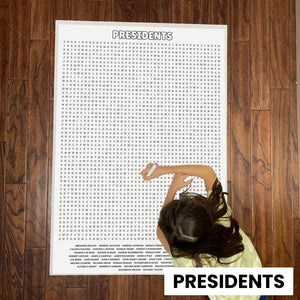
- Word searches the whole family hunts through together
- Board games and card games
- Baking, building, or backyard projects
- A wall calendar the family fills in with plans
Cherry Creek Lane makes giant, table-sized coloring sheets, puzzles, and wall-sized calendars built for exactly this.
For families who want a steady supply, the Coloring Club Month-to-Month Plan sends two fresh giant sheets each month, with no contract and the option to pause any time.

Handle Withdrawal, Pushback, and Digital School Requirements
Expect pushback in the first few days. Withdrawal can look like boredom, irritability, or a sudden burst of "there's nothing to do." This is normal and usually fades within a week.
Three things help:
- Acknowledge the feeling without caving
- Offer the replacement activity right away
- Keep the rules steady, not strict
Separate School Screens From Fun Screens
Digital school requirements are the wrinkle most detox plans ignore. Homework, class portals, online lessons, and teacher messaging apps are not optional, and a plan that bans all screens collapses the first time a project is due. The fix is to draw a clear, visible line between school screens and fun screens.
A workable structure looks like this:
- One schoolwork window per day. Pick a fixed block, such as 4:00 to 5:30 p.m., when the laptop and any school-issued tablet are available for homework only.
- One device, two modes. The same laptop can be a school tool and a fun tool, but not at the same time. When the schoolwork window ends, the laptop closes and goes back to the charging station.
- School apps stay on the school device. If the school issues a tablet or Chromebook, keep the class portal, the reading app, and the assignment tracker on that device only. Do not install them on the family phone or the personal tablet, or the line blurs.
- Notifications off during tech-free hours. School apps can be set to deliver notifications only during the schoolwork window. A parent can usually adjust this in the device settings or in the app itself.
- A visible end signal. A timer, a chime, or simply closing the laptop lid tells the whole family the schoolwork window is over. Kids respond to a clear end more than to a vague "when you're done."
What to Do When Schoolwork Bleeds Into the Evening
Some weeks the homework load makes a clean 90-minute window impossible. When that happens, protect what matters most and let the rest flex.
- Keep the bedtime charge station. Even on a heavy homework night, every device still charges in the kitchen overnight. This is the one rule that should not bend.
- Keep dinner tech-free. A 30-minute screen-free dinner is achievable even on the busiest night, and it is the habit most families say they miss when it slips.
- Move the tech-free hour, don't cancel it. If 8:00 p.m. is still homework time, shift the tech-free hour to 9:00 p.m. or to the following morning. The point is to keep the rhythm, not to hit a specific clock time.
- Check the school's device policy. Many districts publish a parent guide for their learning management system and device rules. Knowing what the school requires (and what it merely permits) helps you set a rule that does not fight the homework load.
When Pushback Turns Into a Real Conversation
If a child argues the detox is unfair because school already requires screens, that's a fair point worth answering directly. The response that works isn't "because I said so", it's: "School screens are for learning. Fun screens are for entertainment.
The first week of a detox often collides with a big project or a test. Plan for it: build one flex night into the schedule and use it without guilt.
Keep It Going: What Happens After Week One
The detox is the start, not the finish. What matters is what your family keeps.
Pick the two or three rules that worked best and make them permanent; drop the rest. Then set a rhythm, like one tech-free evening a week and a monthly screen-free weekend.
Revisit the plan every few months. Kids grow, schedules shift, and a plan that never changes gets abandoned.
For families who want the offline habit to last, a steady supply of shared activities makes the difference. Cherry Creek Lane's Full Year Activity Calendar Bundle gives you a year of family activity ideas to fill in together, and the Board Games Giant Word Search Puzzle turns a rainy afternoon into a group hunt.

Cutting screen time is hard when the whole house is wired to the same devices.
Frequently Asked Questions
How long should a family digital detox last?
Start with a 7-day challenge, which is long enough to break automatic habits without feeling like a punishment. After that first week, many families keep a lighter version going: tech-free hours on weeknights and a full device-free day on weekends. The goal is not a permanent ban, it is building digital habits your family can sustain. If a full week feels too big, begin with three days and extend once everyone adjusts.
How do I handle resistance from teens during a family digital detox?
Give teens a real role in setting the digital detox rules for families instead of handing down a list. Ask them which apps matter most for school and friends, then protect those and cut the rest. Offer a trade: they get input on the schedule, you get one uninterrupted family hour each evening. Expect some withdrawal grumbling in the first 48 hours. It fades faster when teens have a say and when the whole household, parents included, follows the same boundaries.
What screen-free family activities actually work when everyone is bored?
Boredom is the moment the detox either holds or collapses, so keep a ready list. Large-format activities work well because they pull everyone around one shared space: a giant word search laid across the table, a table-sized coloring sheet, or a wall calendar where the family plans the month together. Add low-prep options like a backyard walk, a card game, or baking. Rotate the list weekly so nothing feels stale.
What is the 3-6-9-12 rule for screen time?
The 3-6-9-12 guideline assigns screen limits by age: no screens before age 3, no more than one hour daily for ages 3 to 6, screens with clear rules from 6 to 9, and no screens in the bedroom for ages 9 to 12. It is a starting framework, not a law. Families often adapt it to fit school requirements and each child's maturity, then pair it with consistent tech-free hours so the limits hold.
Shop the sheets from this post
-
Monsters Table Size Coloring Sheet
Regular price $19.99 USDRegular price$24.99 USDSale price $19.99 USDSale -
Unicorn Table Size Coloring Sheet
Regular price $19.99 USDRegular price$24.99 USDSale price $19.99 USDSale -
Superhero Table Size Coloring Sheet
Regular price $19.99 USDRegular price$24.99 USDSale price $19.99 USDSale


