

Giant Coloring Pages vs Interactive Learning Apps: 2026 Guide
Table of Contents
- Quick Comparison: Giant Coloring Pages vs Interactive Learning Apps
- Benefits of Screen-Free Activities for Kids
- Fine Motor Skills Development Activities: How Each Medium Performs
- Screen Time Recommendations for Children: Where Apps Fit In
- Cost Breakdown: Printable Resources vs Subscription Apps
- The Ergonomic and Environmental Impact of Each Option
- How Giant Coloring Pages Support Neurodivergent and Mixed-Age Learners
- Frequently Asked Questions
Last Updated: September 21, 2026
Quick Comparison: Giant Coloring Pages vs Interactive Learning Apps
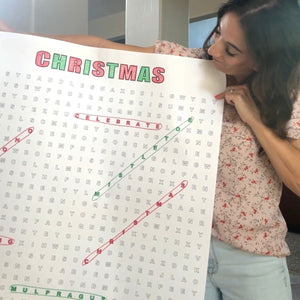
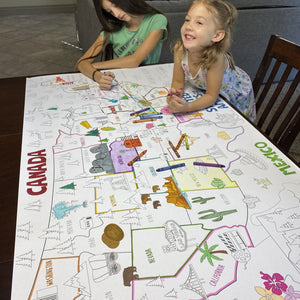
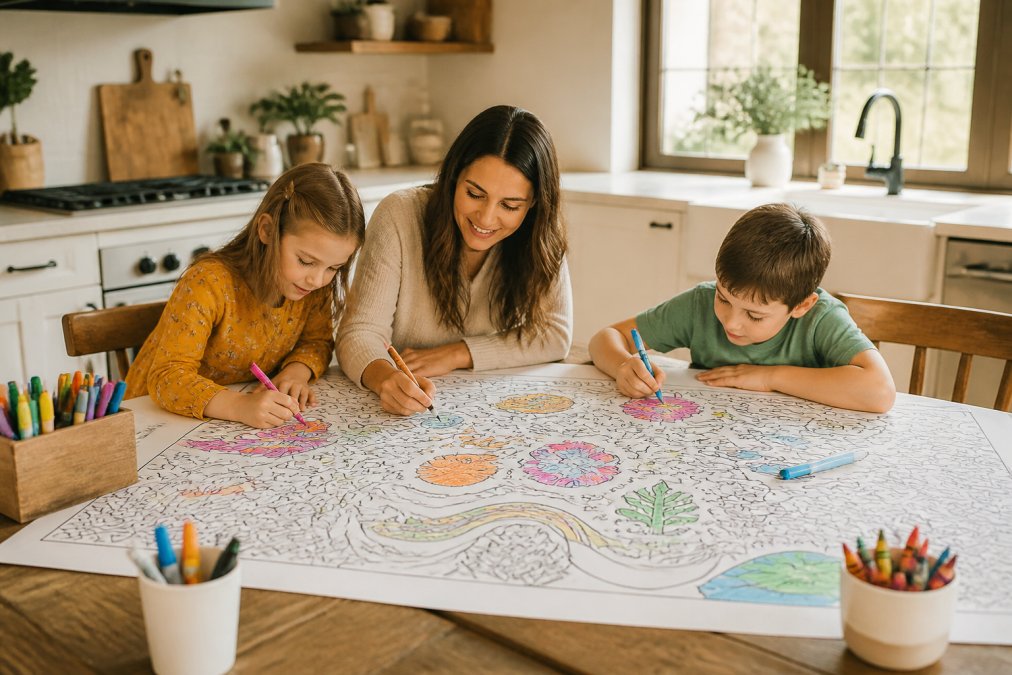
Giant coloring pages are oversized printed sheets, often 30 by 50 inches, that children color on a table or wall; interactive learning apps teach through a screen. This guide helps families weigh both options honestly.
| Factor | Giant Coloring Pages | Interactive Learning Apps |
|---|---|---|
| Cost model | One-time purchase, $19.99 per sheet | Recurring monthly subscription |
| Screen time | Zero | Counts toward daily screen limits |
| Group use | Multiple children at once | Usually one child per device |
| Mess level | Crayons, markers, table space | None |
| Best for | Shared, open-ended play | Solo, guided drills |
Benefits of Screen-Free Activities for Kids
Screen-free activities give children something screens cannot: a physical result they can hold up and show someone, which matters for confidence and family bonding.
- Hands stay busy, which reduces restlessness
- Conversation happens naturally around a shared table
- Children set their own pace instead of following app prompts
- Finished work can be displayed, gifted, or saved
Fine Motor Skills Development Activities: How Each Medium Performs
Fine motor skills development activities build the small hand muscles children need for writing, buttoning, and cutting. Both coloring sheets and apps help, but they train different things.
| Skill | Giant Coloring Pages | Interactive Learning Apps |
|---|---|---|
| Grip strength | Builds through friction and pressure | Limited by smooth glass surface |
| Hand-eye coordination | Strong, line-following required | Strong, but forgiving with undo |
| Spatial awareness | Full-body reach across a large sheet | Confined to screen size |
| Error recovery | Crayon marks stay, teaches planning | Undo button removes mistakes instantly |
Screen Time Recommendations for Children: Where Apps Fit In
Screen time recommendations for children from the American Academy of Pediatrics suggest avoiding screens for children under 18 months, limiting ages 2 to 5 to about one hour of high-quality content per day, and setting consistent limits for older children. The American Academy of Pediatrics media use guidelines are the standard most pediatricians reference.
Where apps fit best:
- Short, focused skill drills before or after school
- Travel and waiting rooms where paper is impractical
- Language or math practice a parent cannot easily teach
Where they fit worst:
- Long unstructured afternoons
- Family gatherings and holiday tables
- Bedtime wind-down
Cost Breakdown: Printable Resources vs Subscription Apps
Subscription apps charge monthly, forever; giant coloring sheets charge once and stay usable. Over a year, the math usually favors paper.
| Option | Upfront Cost | Ongoing Cost | Notes |
|---|---|---|---|
| Single app subscription | Low or free | Monthly, per child or family | Cancel anytime, progress lives in the app |
| Home printables | Low | Ink and paper, repeated | Thin paper, taping required |
| Giant coloring sheet | $19.99 | None | 30" x 50", reusable surface for group use |
| Early Learning Bundle | $59.97 | None | Multiple sheets, one purchase |
The Ergonomic and Environmental Impact of Each Option
Most comparisons stop at screen time and cost, ignoring the physical and environmental trade-offs that shape how a child's body and a household's footprint absorb each activity over time.
Ergonomics: posture, strain, and movement
A tablet locks a child into a narrow set of postures, most commonly "tech neck": chin tucked, cervical spine flexed, shoulders rounded, elbows pinned. Flat on a table, the child bends further; on a stand, the wrists and forearms take the load instead.
- Reach and rotation. A 30 by 50 inch sheet forces the child to move the whole arm and often the trunk, not just the wrist.
- Postural variety. Children naturally kneel, sit cross-legged, lean on an elbow, or stand and lean over the sheet. No single posture is held for long.
- Grip variety. Crayons, markers, and colored pencils each require a different grip and pressure, which spreads the load across hand muscles instead of repeating one motion.
- Floor option. Spread on the floor, the sheet lets a child work prone on the forearms, a position many occupational therapists use to build core and shoulder stability.
Environmental impact: front-loaded vs. spread out
The sustainability comparison is closer than either side admits, and depends on how you count.
A rough way to think about it:
| Dimension | Giant Coloring Sheet | Tablet + App |
|---|---|---|
| Impact timing | Front-loaded at production | Front-loaded at manufacturing, plus ongoing charging |
| End of life | Recyclable paper in most curbside programs | E-waste; recycling depends on local options |
| Replacement cycle | Reused until worn out | Replaced every few years, or sooner if damaged |
| Ongoing inputs | Crayons, markers, occasional tape | Electricity, charger, case, screen protector |
| Sharing | Multiple children, one item | Often one device per child |
If ergonomics and footprint both matter to you, the practical move is not to ban either format. It is to cap fixed-posture screen sessions, keep a large-format paper option within reach, and treat the tablet as one tool in the rotation rather than the default.
ABC 123 Table Size Coloring Sheet →
How Giant Coloring Pages Support Neurodivergent and Mixed-Age Learners
Most app-vs-paper articles treat "neurodivergent" as a single checkbox. In practice, the children who benefit most from a large-format paper activity have the most specific needs, and the reasons differ by profile.
Sensory processing differences
Children with sensory processing differences often seek or avoid sensory input. A giant coloring sheet can serve both, which is unusual.
- Sensory seekers get proprioceptive input through the pressure of crayon on paper, the resistance of the surface, and the large-motion reach across a wide sheet. That input is calming for many children and can help them regulate before or after a demanding task.
- Sensory avoiders benefit from predictability. Crayon on paper produces no sudden sound, no flashing reward animation, no unexpected haptic buzz. The feedback is exactly what the child's own hand produces, nothing more.
Attention and task initiation
For children with ADHD, the hardest part is often starting, not doing. A giant sheet spread on the table before the child arrives removes the initiation barrier, no app to open, no login, no level to select, and its lack of a defined endpoint reduces the pressure of "finishing."
Mixed-age groups and siblings
A single 30 by 50 inch sheet lets a 3-year-old and a 7-year-old work side by side without competing: the younger fills large shapes with broad strokes, the older works on detail. Neither is "behind," and there is no level to outgrow or score to compare.
| Need | How a Giant Sheet Helps | How an App Typically Handles It |
|---|---|---|
| Sensory seeking | Pressure, resistance, large-motion reach | Varies; often limited to screen touch |
| Sensory avoiding | Predictable, quiet, no surprise feedback | Notifications, sounds, autoplay |
| Task initiation (ADHD) | Activity already set up, no login | Requires opening app, choosing level |
| Frustration tolerance | No fail state, no timer | Timed drills, resets, streaks |
| Mixed ages | One sheet, shared, no levels | One device per child, level-locked |
| Group settings | Works for pods and classrooms | Often one account per child |
What to watch for
No format is universally right. Children with low muscle tone may tire faster on a large sheet; children who struggle with motor planning may find the undo button genuinely helpful. The point is not that paper wins, the choice should match the child's sensory and attention profile, not the household's default.
If you are unsure which format fits a child, run a two-week experiment: offer the same activity in both formats on alternating days and note which one the child returns to without prompting. The pattern usually shows up fast.
Frequently Asked Questions
Do giant coloring pages help with fine motor skills more than apps?
Giant coloring pages require kids to grip crayons, markers, or colored pencils and make controlled strokes across a large surface. That builds hand-eye coordination and hand strength in ways a touchscreen cannot replicate. Apps offer tap-and-swipe motions, but the physical resistance of paper and the need to modulate pressure give giant coloring pages an edge for fine motor skills development activities.
How do interactive learning apps impact child attention spans?
Apps often use gamification, sounds, and rewards that can shorten attention spans by constantly redirecting focus. Giant coloring pages encourage open-ended play where a child decides when to start, stop, and switch colors. That self-directed pacing supports a longer concentration span. Many parents find that screen-free activities for kids, like table-sized coloring sheets, help children practice sitting with one task for 30 minutes or more.
Are giant coloring pages better for family bonding than apps?
Apps are typically designed for solo use, which limits shared interaction. Giant coloring pages measure 30 by 50 inches, so multiple people can work on the same sheet at once. That shared space naturally sparks conversation, turn-taking, and teamwork. For families looking to reduce screen time and create memories together, a table-sized coloring sheet gives everyone a role in the same activity.
What are the screen time recommendations for children?
The American Academy of Pediatrics recommends limiting screen time for children ages 2 to 5 to one hour per day of high-quality programming, and consistent limits for older kids. Interactive learning apps can count toward that total, so balancing them with screen-free activities for kids matters. Giant coloring pages offer a screen-free option that still delivers educational value through letters, numbers, and color theory.
How durable are giant coloring pages compared to digital apps?
Cherry Creek Lane giant coloring sheets are printed on high-quality paper and measure 30 by 50 inches. They hold up well with crayons, markers, and colored pencils. Unlike apps that disappear when a subscription ends or a device breaks, a physical coloring sheet can be displayed, stored, or revisited. Many families frame or tape finished sheets to walls as art, giving kids a lasting sense of accomplishment.
Shop the sheets from this post
-
Monsters Table Size Coloring Sheet
Regular price $19.99 USDRegular price$24.99 USDSale price $19.99 USDSale -
Unicorn Table Size Coloring Sheet
Regular price $19.99 USDRegular price$24.99 USDSale price $19.99 USDSale -
Superhero Table Size Coloring Sheet
Regular price $19.99 USDRegular price$24.99 USDSale price $19.99 USDSale


