


Creative Ways to Organize Family Schedules
Table of Contents
- Why Organizing Family Schedules Matters
- Build a Family Command Center Ideas Hub
- Use Color-Coding to Track Family Members
- Create a Visual Schedule for Kids
- Screen-Free Family Organization Tools That Work
- Sync Shared and Individual Calendars
- Hold Regular Family Meetings to Review the Schedule
- Delegate Chores and Track Assignments
- Frequently Asked Questions
Last Updated: August 31, 2026
Why Organizing Family Schedules Matters
A chaotic family schedule creates stress that ripples through everything else. Parent-child conflicts about forgotten appointments, missed activities, sibling arguments over who uses the kitchen when, school projects that sneak up on you, these aren't small annoyances. They're symptoms of a broken system.
When you organize family schedules effectively, something shifts. Everyone knows what's happening and when. Kids develop a sense of predictability that actually calms them down. Parents stop playing mental Tetris, trying to hold seven different timelines in their heads. The household runs smoother because information flows clearly instead of getting trapped in individual calendars, sticky notes, and half-remembered conversations.
The real benefit isn't just logistics. It's connection. A well-organized family schedule creates space for togetherness instead of constant firefighting. You can actually plan family meals, activities, and downtime because you're not scrambling to figure out who needs to be where.
This guide covers creative ways to organize family schedules that go beyond just syncing Google Calendar. We'll explore physical command centers, color-coding strategies, screen-free planning tools, and delegation systems that actually work for multi-age households.

Build a Family Command Center Ideas Hub
Choosing Your Physical Space
Your family command center doesn't need to be fancy. It needs to be visible and accessible. The best location is somewhere your family naturally gathers: the kitchen wall, the hallway between bedrooms, or a dedicated bulletin board in a common area.
The space should be at eye level for the shortest family member. If your six-year-old can't see the calendar without asking, they won't engage with it. Consider wall space first, but a large cork board, whiteboard, or even a sturdy clipboard mounted on a cabinet works fine.
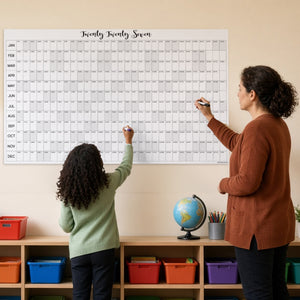
Size matters more than you'd think. A small calendar gets lost. A large one, at least 24 by 36 inches, commands attention and gives you room for multiple visual elements (apa.org). This is why tools like Cherry Creek Lane's wall-sized calendar systems work so well: the sheer size forces the family to notice and interact with it.
What to Display and How
Start with a master calendar showing the entire month. Add color-coded sections for each family member. Below the calendar, create zones for:
- Weekly meal planning (helps with grocery shopping and cooking prep)
- Rotating chore assignments (makes delegation visible)
- Upcoming activities and events (school events, sports, appointments)
- A "needs attention" section for items requiring discussion at family meetings
Don't overcrowd it. A command center with too much information becomes visual noise. Prioritize the information that changes weekly or monthly. Permanent reminders (like "brush teeth") belong in individual spaces, not the family hub.
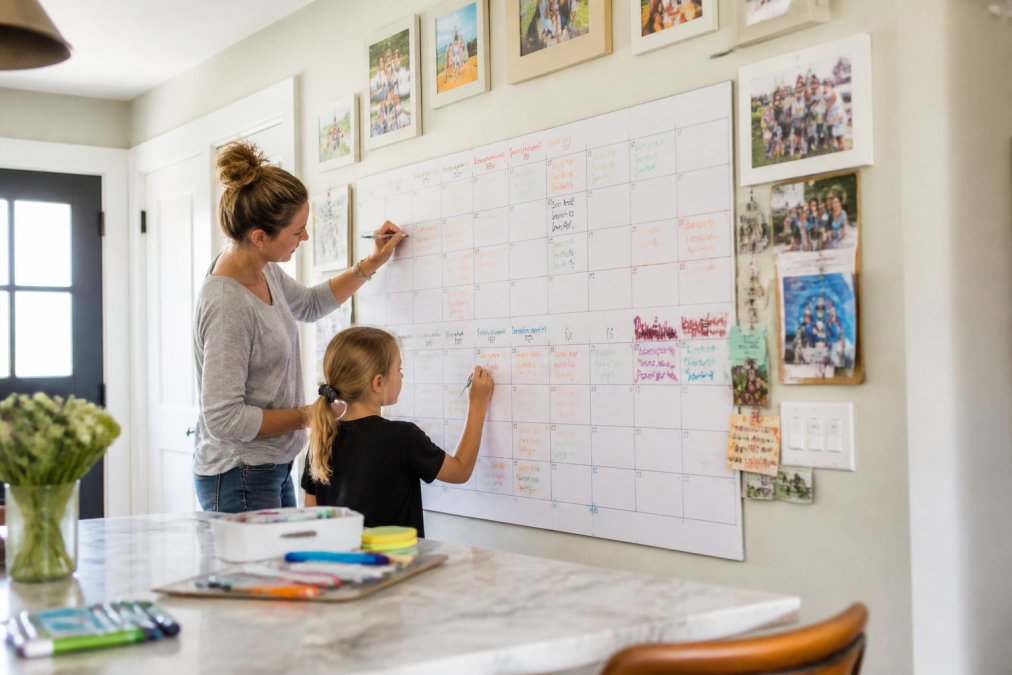
The physical act of writing on a shared calendar creates engagement that digital tools don't replicate. When a child writes their soccer practice time on the family calendar, they've mentally registered it. They're less likely to forget or claim they didn't know.
Use Color-Coding to Track Family Members
Color-coding transforms a chaotic calendar into a clear visual system. Assign each family member a color: red for Mom, blue for Dad, green for oldest child, yellow for youngest. Every event related to that person gets marked in their color.
The system works because brains process color faster than text. A parent can glance at the calendar and instantly see what belongs to whom. Kids learn to recognize their color and start checking "Did I add my soccer game?" without being asked.
Choose colors that are distinct enough to differentiate at a glance. Avoid colors that are too similar (dark blue and purple, for example). Invest in a color-coded marker set or colored pencils that match your system. Keep them in a cup near the calendar so they're always available.
For households with more than four people, layer the system. Use primary colors for individuals and add symbols (stars, dots, squares) to indicate event type. A green star means oldest child's activity, a green square means oldest child's appointment. This prevents color confusion in larger families.
Update the color-coding consistently. If Mom writes an event in red one week and forgets to the next, the system loses credibility. Consistency builds trust in the system, especially with kids.
Create a Visual Schedule for Kids
Making Routines Stick
Kids thrive with visual structure. A visual schedule breaks down daily routines into steps they can see and understand. Instead of saying "get ready for school," a visual schedule shows: get dressed → eat breakfast → brush teeth → pack backpack → shoes and coat.
The schedule works best as a large poster or chart positioned where your child will see it during their routine. Morning routines, bedtime routines, and after-school routines each deserve their own visual schedule.
Use pictures, not just words. Combine simple drawings, photos, or printed images with brief text labels. A picture of a toothbrush with the word "brush teeth" is more effective than just the word. Young children can't read yet, and older children process information faster with visual support.
Make the schedule interactive. Use clothespins, magnets, or erasable markers so your child can physically move through the routine, checking off each step. This tactile element keeps kids engaged and gives them a sense of control and accomplishment.
For neurodivergent children, visual schedules are particularly powerful (peer-reviewed research). They reduce anxiety by eliminating uncertainty about what comes next. They also work around executive function challenges that make verbal instructions unreliable. A child who struggles with transitions often responds well to seeing the full sequence laid out visually.
Screen-Free Family Organization Tools That Work
Giant Activity Calendars for Planning Together
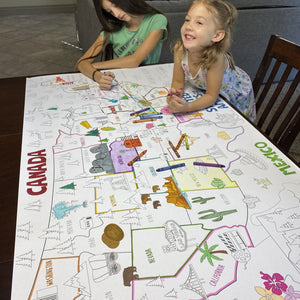
Large-format activity calendars combine planning with engagement. These aren't just blank calendar grids, they're interactive planning tools designed for families to fill in together.
The best ones come with pre-printed activity suggestions that spark ideas: "Try a new recipe," "Have a picnic," "Build a fort," "Learn something new." Your family discusses what sounds fun and writes it in. This collaborative planning builds anticipation and gives kids ownership of family activities.
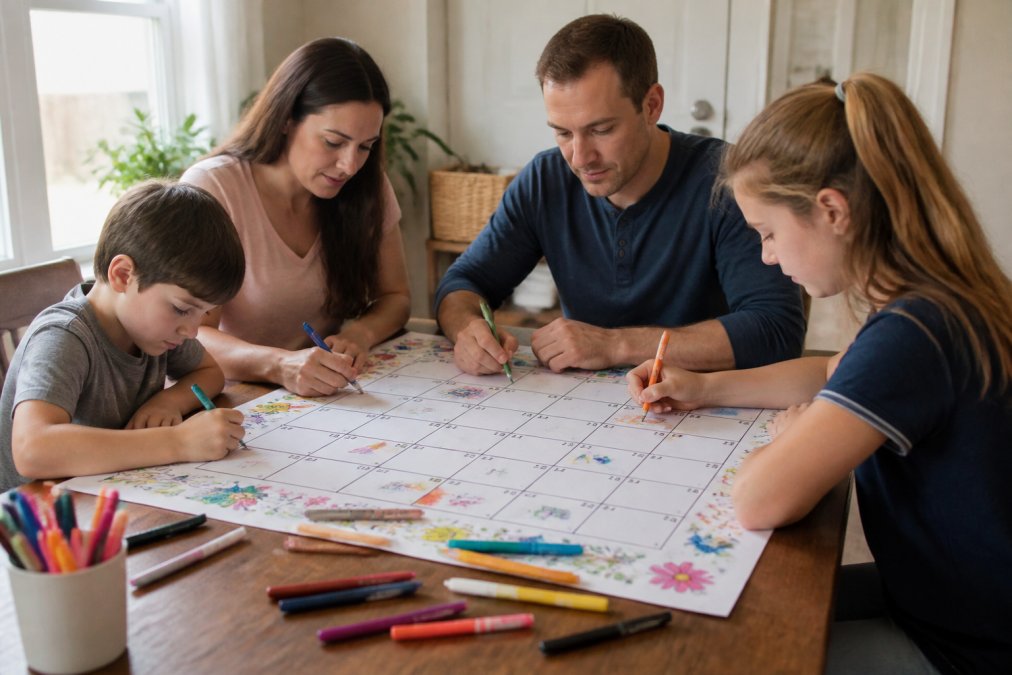
These calendars work especially well for seasonal planning. A summer activity calendar keeps kids engaged during long breaks. A Halloween calendar builds excitement leading up to October. A Christmas calendar combines planning with the holiday countdown.

Cherry Creek Lane offers seasonal activity calendars like the Summer Activity Calendar that double as coloring projects. Kids color the calendar while planning activities. It's engagement and organization in one tool.
The physical size, typically 24 by 36 inches or larger, makes these calendars impossible to ignore. They demand interaction. Unlike a small calendar that sits forgotten on a desk, a giant activity calendar becomes part of your family's daily visual landscape.
For families transitioning from digital-only planning to hybrid systems, these tools bridge the gap. They provide the visual, tangible benefits of physical organization without requiring you to abandon digital calendars completely.
Sync Shared and Individual Calendars
Most families need both shared and individual calendars. The family command center shows the big picture. Individual calendars (digital or physical) let each family member track their personal commitments.
The key is preventing information silos. When Dad's work calendar is only on his phone and Mom's medical appointments are only in her email, the family doesn't know when someone needs coverage or when scheduling conflicts exist.
Create a simple rule: any commitment that affects the household gets added to the family calendar within 24 hours. Work meetings that require early departure? Family calendar. School projects due next week? Family calendar. Doctor's appointments? Family calendar.
For digital syncing, Google Calendar works well. Create a family calendar that everyone can view and edit. Color-code it the same way as your physical calendar. Set up notifications so changes alert everyone.
The physical command center remains the primary reference point. Digital calendars serve as backup and allow flexibility for people who check phones more than walls. The hybrid approach gives you reliability of physical systems with accessibility of digital ones.
Don't try to maintain perfect real-time sync. Weekly updates are sufficient. Pick a time, Sunday evening works well, when someone reviews the family calendar and adds any new items to the physical command center.
Hold Regular Family Meetings to Review the Schedule
Family meetings transform a calendar from a posting board into a communication tool. A weekly 15-minute meeting where everyone reviews the upcoming week prevents surprises and builds accountability (apa.org).
Schedule the meeting for the same time each week. Sunday evening or Monday morning works for most families. Everyone attends, even if they claim they have nothing to discuss. The consistency matters more than the timing.
Start by reviewing the calendar together. Read aloud what's coming up. Ask each person if they've added everything they need to add. Discuss any scheduling conflicts or concerns. This is where you catch the problem before it becomes a crisis.
Use the meeting to discuss delegated tasks. Who's responsible for what this week? Does anyone need help? Are chores distributed fairly? These conversations prevent resentment and keep the household running smoothly.
End with something positive. Ask each person to share one thing they're looking forward to. This shifts the tone from logistics to connection. Kids remember family meetings as times when everyone gathered and talked, not just as scheduling sessions.
For families with very young children, keep meetings short. Five minutes is enough. For families with teenagers, 20 minutes is reasonable. The goal is consistency, not duration.
Delegate Chores and Track Assignments
Delegation without visibility breeds resentment. Someone thinks they did their chore, someone else thinks it didn't get done, and conflict erupts. A visible chore system prevents these arguments.
Create a chore chart that shows what needs doing, who's responsible, and what the deadline is. Update it weekly or monthly depending on your rotation system. Display it prominently on your family command center.
Match chores to ability. A five-year-old can feed a pet but shouldn't be responsible for loading the dishwasher safely. A teenager can handle laundry but shouldn't be the only person managing household cleaning. Fair delegation means considering both capability and capacity.
Rotate chores regularly. Everyone learns multiple skills, and no one gets stuck with the worst task forever. A monthly rotation works well for most families. Post the new rotation on the command center so expectations are clear.
Use visual markers to show completion. A checkmark, a sticker, or moving a clothespin indicates the chore is done. This gives kids immediate feedback and lets parents verify completion without nagging.
For resistant kids, offer choices within boundaries. "Would you rather sweep the kitchen or wipe the table?" Both are acceptable; the child decides. This autonomy increases cooperation.
Track completion without shame. If someone forgets, the system shows it clearly. The conversation becomes "I see this didn't get done, what got in the way?" instead of "You never do anything." The data removes emotion from accountability.
Organizing family schedules requires systems, but it doesn't require complexity. The most effective approach combines a visible command center, consistent color-coding, and regular communication. When your family can see what's happening and when, you eliminate the chaos that exhausts parents and confuses kids.
Cherry Creek Lane's full-year activity calendar bundle gives you 12 months of visual planning tools that turn scheduling into a family activity. The large format makes planning impossible to ignore, and the built-in activity suggestions spark conversations about what matters to your family. Start with one seasonal calendar, see how your family responds, and expand from there.
| System Element | Purpose | Update Frequency |
|---|---|---|
| Master calendar | Shows all family events at a glance | Weekly |
| Color-coding | Identifies whose event belongs to whom | Ongoing with entries |
| Visual schedules | Guides kids through daily routines | As routines change |
| Activity calendars | Plans family activities and builds excitement | Monthly or seasonally |
| Chore chart | Assigns and tracks household responsibilities | Weekly or monthly |
| Family meetings | Reviews schedule and resolves conflicts | Weekly |
Frequently Asked Questions
What's the best way to organize a family schedule for multiple age groups?
Use a visual schedule that combines symbols, colors, and words so younger children can understand what's next while older kids read details. Color-code each family member so everyone instantly sees who needs to be where. A large wall-sized calendar or table-sized activity sheet works well because all ages can see it at once and contribute ideas during family meetings. This approach keeps everyone informed without requiring individual digital devices.
How can I create a family command center ideas setup without spending a lot?
Start with a blank wall or bulletin board and add a large calendar sheet, a chore chart, and a simple task list. Use clothespins, washi tape, or sticky notes to mark events. Giant coloring sheet calendars like those from Cherry Creek Lane ($19.99 for seasonal versions) serve double duty: they're functional planning tools and creative activities that bring the family together. Add a dry-erase board for last-minute changes, and you've built a command center.
Why should I use screen-free family organization tools instead of just an app?
Screen-free tools like wall calendars and visual schedules keep everyone engaged without competing for device time. Kids are more likely to notice and remember events when they see them on a physical calendar they helped create. Screen-free organization also encourages family conversation during planning sessions and makes scheduling feel like a shared activity rather than a chore. Plus, there's no subscription fee or login required, just glance at the wall.
How do I get my family to actually use the organized schedule?
Hold a quick family meeting once a week to review the schedule together and let everyone add their own events or color-code their activities. Make it interactive: let kids use markers or stickers on a large calendar sheet. When family members help create the schedule, they're more likely to follow it. Set a specific time each Sunday evening to plan the week ahead, and make it part of your routine. Celebrate when everyone sticks to the plan with a small reward or family activity.
This article was written using GrandRanker
Shop the sheets from this post
-
Monsters Table Size Coloring Sheet
Regular price $19.99 USDRegular price$24.99 USDSale price $19.99 USDSale -
Unicorn Table Size Coloring Sheet
Regular price $19.99 USDRegular price$24.99 USDSale price $19.99 USDSale -
Superhero Table Size Coloring Sheet
Regular price $19.99 USDRegular price$24.99 USDSale price $19.99 USDSale


